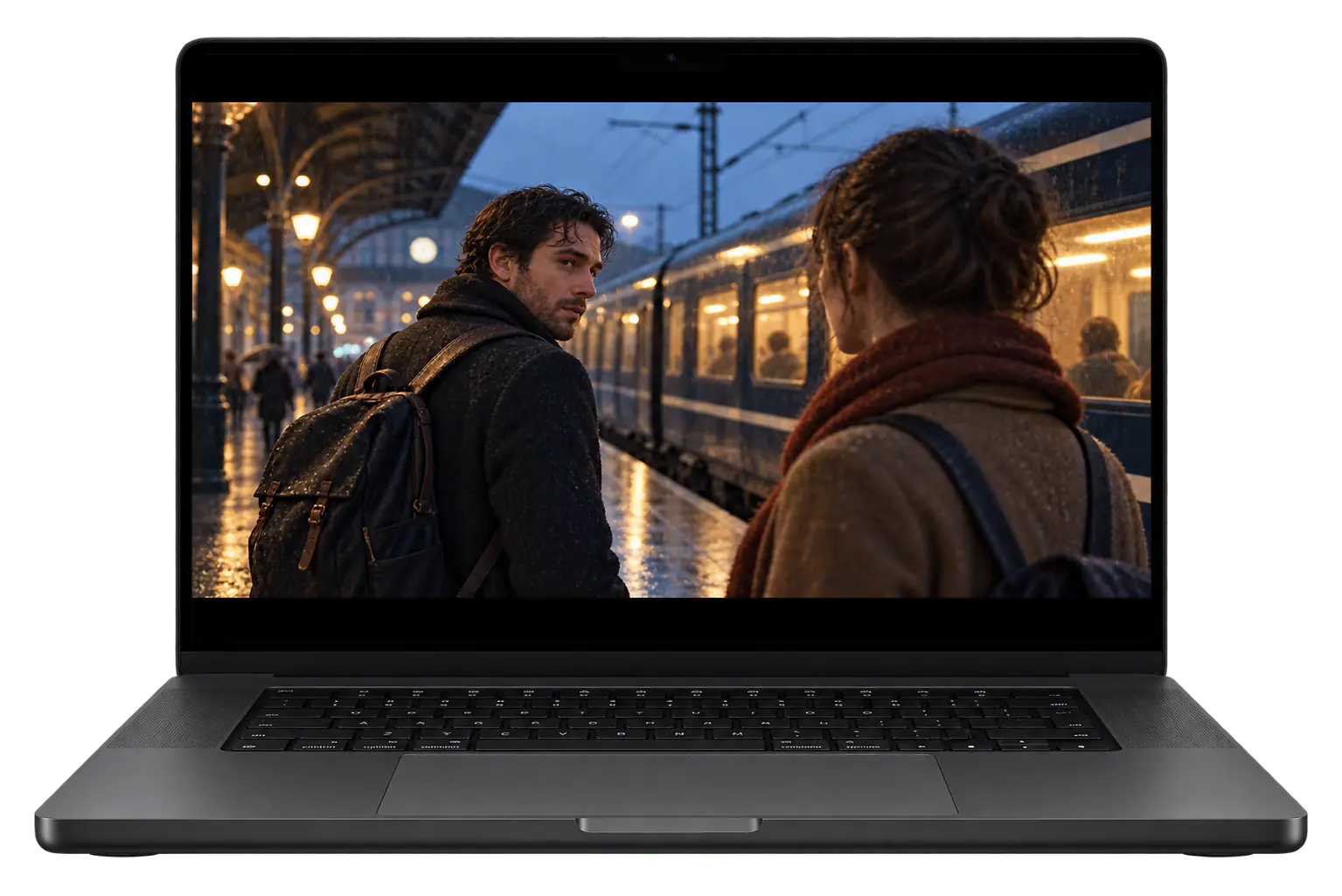
Remote Mouse & KeyboardYour computer. At your fingertips.
Remote Mouse & Keyboard turns your iPhone or iPad into a wireless trackpad, keyboard, and media remote for Mac and Windows. Install the free Remote Helper on your computer and connect both devices to the same local network. You can then type, move the pointer, control playback, and run custom keypad actions from your phone.
Remote Mouse & Keyboard turns your iPhone or iPad into a trackpad, keyboard, and media remote for a Mac or Windows PC. Connect through Remote Helper on your local network to move the pointer, type into desktop apps, adjust playback, and launch applications from your seat.
Use it with a living-room computer, a presentation laptop, or a desktop beside your instrument. The app supports 2 desktop platforms, with separate Mac and Windows setup instructions. Computer control needs the helper running and a reachable network connection.
How do custom keypads help?
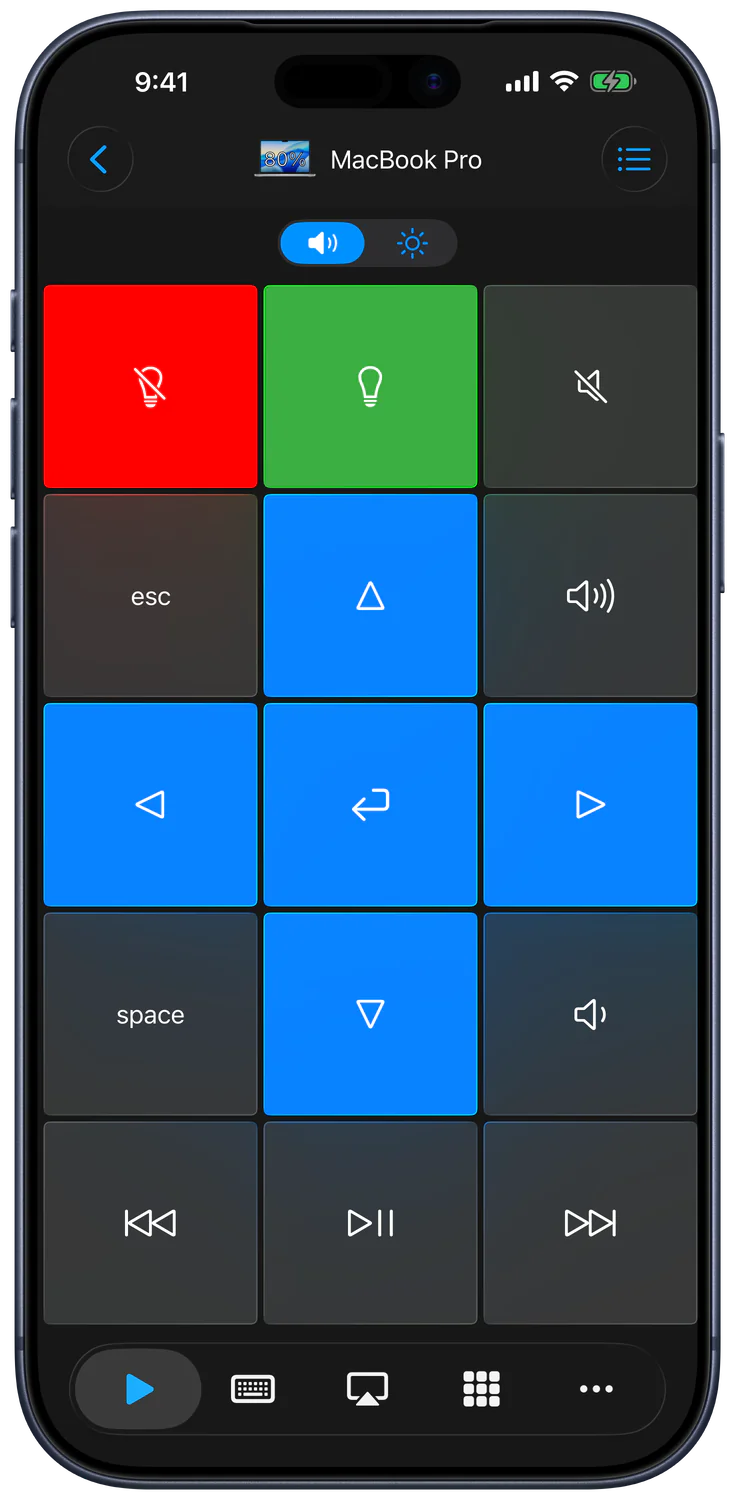
Custom keypads put your frequently used keyboard shortcuts, media commands, and app actions on buttons you design. In Remote Mouse & Keyboard, you can change the grid, labels, colors, and button size, then build a panel around the computer application or task you use most often.
For a presentation, start with 3 buttons for previous slide, next slide, and the presentation command your app supports. Add more only when needed. The keypad editor supports merging neighboring cells into larger buttons and adding delays between keyboard-sequence steps.
Can I organize more than one device?
Remote Mouse & Keyboard saves your computers and supported devices in a device list that you can organize by room. Choose a default device, reopen its controls when needed, and customize the Input Bar or supported Siri actions for the way you use that particular device.
A setup with 2 computers can keep a living-room Mac and an office PC in separate rooms. Check the selected device before sending a command. The devices guide explains saved connections, room management, reconnecting, and Wake for eligible offline computers.
How do I connect my iPhone to a Mac or Windows PC?
Install Remote Helper on your Mac or Windows PC, connect both devices to the same local network, and choose Add Device in Remote Mouse & Keyboard. Select your computer and approve access if prompted. You can then send mouse, keyboard, media, and app commands from your iPhone or iPad.
The connection guide documents 3 connection methods: automatic discovery, scanning the helper’s QR code, and entering its IP address and control port manually. Start with discovery; use the other methods if the computer does not appear in the list.
Download the free Remote Helper on the computer and leave it running.
Join the same local network on both devices. A computer connected by Ethernet can work with an iPhone on Wi-Fi when both reach the same LAN.
Allow Local Network access, choose Apple Mac or Windows PC in Add Device, and complete pairing.
Which devices and operating systems are supported?
Remote Mouse & Keyboard supports Mac and Windows computer control through Remote Helper, direct pairing with supported TVs, and a separate Bluetooth connection for another iPad. The iPhone or iPad app requires iOS or iPadOS 17.0 or later. Requirements and available controls differ according to the device you connect.
The current helper downloads specify macOS 12 or newer and Windows 7 SP1 or newer. Apple’s US App Store listing confirms the mobile requirement; check it before installing on an older device.
Connection
What you need
Main limitation
Mac or Windows PC
Remote Helper and a shared local network
Guest networks, firewalls, or missing permissions can block access
Supported TV or streamer
Same network and the TV’s pairing approval
Available buttons and app controls vary by platform and model
Another iPad
The app on both devices and Bluetooth pairing
Computer-only commands are unavailable in this connection
Use the TV guide for platform-specific pairing. Sony and Panasonic options are marked experimental. Use the Bluetooth guide for another iPad; Bluetooth does not replace the computer helper connection.
Apple’s listing data reports file sizes of 153,938,944 bytes for the standard app and 147,348,480 bytes for Pro, approximately 154 MB and 147 MB respectively. Installed storage can vary by device and app version.
How does the iPhone work as a mouse and keyboard?
Open Input on a saved computer to use your iPhone or iPad as a trackpad and keyboard. Move a finger to position the pointer, use taps for mouse clicks, and show the keyboard to type into the focused desktop field. Extra keys provide modifiers, navigation, and function-key layouts.
The Input guide documents 5 default gestures: one-finger tap for left click, two-finger tap for right click, three-finger tap for middle click, two-finger movement for scrolling, and three-finger movement for dragging or selecting. Tracking and scrolling speeds are adjustable.
For typing, first select the destination field on your computer. Text goes to the app with focus, so clicking a browser search box and typing differs from sending keys to a presentation. Enable Preview to review text before sending it. Customize the Input Bar and extra keyboard keys for the commands you use repeatedly, and select the matching Mac or Windows layout.
Can I see my computer screen on my phone?
Live View shows your computer screen inside Remote Mouse & Keyboard while you use its input controls. Open a saved computer, select Input, and tap Live View in the Input Bar. On Mac, Remote Helper needs Screen Recording permission before it can show the desktop image on your phone.
There are 2 viewing modes, Follow and Fit. Follow keeps the view around the pointer; Fit shows the screen within the available space. Choose Follow when targeting a small control, then Fit when you need an overview of the desktop.
Live View is useful when entering text on a living-room computer or checking which app has focus. Its responsiveness depends on your computer and network. If the pointer responds but the image is missing, review the helper’s screen-capture permission separately from input-control permission. Taking a screenshot also requires permission to add photos on your iPhone or iPad.
Does Remote Mouse & Keyboard need internet?
No. Remote Mouse & Keyboard can control a computer over a shared local Wi-Fi network or personal hotspot without an internet connection. Remote Helper must still be running, and the devices must be able to reach each other. Downloading software and using online media are separate activities that may need internet.
The connection guide describes 2 shared-network options: a local network and a personal hotspot. Set up the helper and app before a presentation where internet access may be unavailable, then test the connection in the room you will use.
A shared Wi-Fi name does not always mean devices can communicate. Hotel, school, and guest networks may isolate clients. QR scanning and manual IP entry help with discovery but cannot bypass that isolation. For a living-room setup, keep the computer and phone on a trusted network that permits local connections.
NIST’s wireless-network guidance explains why guest and internal networks may be separated. If a venue applies that separation, ask its administrator for an approved connection between your devices.
How can I control movies or give a presentation?
Use media keypads for playback and volume, or create a presentation keypad with the keyboard commands your slide app accepts. Remote Mouse & Keyboard is useful when the computer is connected to a larger display and you want to control it from the sofa, lectern, or another position in the room.
For example, a simple presentation panel can have 3 buttons: previous slide, next slide, and start or stop presentation. Customize each command for the slide app you use. Test each button in your actual presentation app and confirm that the app has keyboard focus before speaking.
When designing your panel, keep frequent actions close together and make their buttons larger. Stanford’s HCI material on Fitts’s law explains how target size and travel distance affect pointing time.
For a home theater, open the player on the computer, test play/pause and volume, and keep the trackpad available for menus. The Mac media guide and Windows media guide explain those workflows. Mac AirPlay controls handle supported audio-output and screen-mirroring choices; they are specific to Mac connections.
How do I automate shortcuts and computer actions?
Remote Mouse & Keyboard can run named keyboard sequences, supported Siri actions, and custom computer commands. Build a keypad button for a repeated task, or choose the app’s computer actions in Apple Shortcuts. Keep the target computer reachable and confirm that each action works before combining it into a longer sequence.
The custom actions guide supports 2 scripting languages through the helper: AppleScript on Mac and PowerShell on Windows. Create the action in the appropriate helper, then refresh the remote’s action list. Script behavior depends on what you write and the computer’s permissions.
A keyboard sequence can include delays when an app needs time to react between steps. The keypad editor also supports larger buttons and app-specific layouts. For voice control, follow Siri and Shortcuts. Timers are available for supported actions; a timer does not make a sleeping or unreachable computer available automatically.
Why can’t the app find or control my computer?
A missing computer usually means Remote Helper is not running, Local Network access is blocked, or the devices cannot communicate on the same network. Check those conditions first. If discovery alone fails, scan the helper’s QR code or enter its IP address and control port to connect directly.
Work through 3 checks before changing advanced settings: confirm the helper is open, verify local-network access, and check the computer’s firewall. Use the actual address and port shown by the helper. An example address in a guide is not your computer’s configuration.
Microsoft’s Windows Firewall guidance recommends allowing the required app rather than opening a port permanently. Apply the rule to the trusted network you use. Managed computers may require an administrator’s help.
Remote Helper manages access for computer control on your local network. Enable Ask to grant access for unknown devices if you want to approve new connections on the computer. Review saved devices in the helper’s settings, and grant the operating-system permissions required for the input or screen features you use.
On Mac, there are 2 separate permission areas to consider: input control and screen capture. A working connection does not necessarily mean Live View has permission to show your screen. The Mac helper guide explains the controls, while Apple’s privacy documentation explains local-network permission on iPhone and iPad.
TVs use their own pairing-code or approval process, and iPad control uses Bluetooth pairing on both devices. Keep those connection types separate when troubleshooting access. Review local network security for the site’s guidance on trusted networks and device access.
Choose the guide that matches the action you want to perform after pairing your device. Start with Input for mouse and keyboard control, Keypads for button panels, and Devices for saved connections. Use the platform-specific articles when setting up a Mac, Windows PC, TV, or another iPad for a particular task.
These 8 feature guides cover the main controls and customization options:
Choose a Mac or Windows guide according to the computer you want to control, then narrow it to mouse input, typing, media, or presentations. The comparison articles explain how Remote Mouse & Keyboard differs from remote-desktop tools, while the task guides walk through a specific local-control workflow on your chosen platform.
The following articles cover 2 desktop platforms and their common setup choices:
Wake-on-LAN depends on compatible hardware, power settings, a saved network hardware address, and network support. Follow the relevant wake guide before relying on it.
What does the app interface look like?
The screenshots below show Remote Mouse & Keyboard’s iPhone interface in English, including keypads, trackpad input, keyboard controls, and the app launcher. They were captured from Control 2026.43 using a Mac connection. Use them to identify the main screens; platform-specific controls and later versions can look different.
This gallery contains 8 screenshots: keypads, input, keyboard, apps, system actions, the keypad editor, devices, and customization. Open a screenshot to inspect its controls. The Input guide explains gestures and keyboard behavior, while the settings guide covers appearance and Live Activity customization. The gallery’s capture version is separate from the App Store version listed below.
What do the App Store numbers show?
Remote Mouse & Keyboard’s standard US listing had 14,426 ratings averaging 4.46 out of 5 when checked on October 22, 2026. The separate Pro listing had 5,426 ratings averaging 4.74 out of 5. These are user-rating snapshots for the two listings, not measurements of connection speed or reliability.
The figures come from Apple’s public listing data, using the all-version average and rating count for each app. Averages are rounded to two decimal places; the App Store interface may round them differently. Across both listings, that is 19,852 ratings, which does not represent a count of unique customers.
The standard app’s original release date was April 13, 2013, and Pro followed on June 7, 2014, according to the same source. The standard app is a $0 download with optional in-app purchases. The Pro purchase price was $39.99 in the US store at the check date. Regional prices and future ratings can differ.
What have technology reviewers said?
Technology writers have covered this app’s Mac control and automation workflows under its earlier Remote Control for Mac name. The two excerpts below describe Siri shortcuts and media controls from those published reviews. They provide historical context for the product; current setup instructions and purchase details are documented on this page.
“Remote Control for Mac is another excellent example of an iOS utility that Siri shortcuts makes more useful.”
John Voorhees, Managing Editor at MacStories. Read the review.
“Users are able to control volume, playback, and AirPlay mirroring directly from an iOS device.”
The MacStories review describes combining Mac commands with Siri routines. The MacRumors recap covers the earlier Mac/PC Pro edition. See press and reviews for more original coverage; older articles may show previous interfaces and prices.
Who writes this guide and develops the app?
Evgeny Cherpak is the independent app developer behind Remote Sunrise LTD and Remote Mouse & Keyboard. He develops utilities for Apple devices and companion software for Windows, and provides the product documentation and support. His work focuses on practical remote control, productivity, music, and file-access workflows across the devices people already own.
Remote Sunrise reports 6 million+ downloads across its products and 90%+ favorable ratings on its about page. Those are company-wide milestones, separate from the individual US App Store ratings reported above.
This guide combines the app’s documented controls, dated App Store data, and linked platform documentation. Screenshots retain their original capture version. Published ; updated .
App Store details
The standard Remote Mouse & Keyboard app is free to download, with optional in-app purchases for premium features. The table records the US App Store listing at the stated check date. Use the linked listing to confirm the price, requirements, and available purchases for your own region before downloading.
Checked October 22, 2026. Availability, pricing, and requirements can change; the App Store listing has the latest details.
Detail
App Store listing
Name
Remote, Mouse and Keyboard
Version checked
2026.54
iOS / iPadOS requirement
17.0 or later
Download price
Free download; see the listing for in-app purchases
Remote, Mouse & Keyboard Pro has a separate App Store listing from the free app. If you already bought Pro, install that edition and restore purchases there when needed. Check the listing associated with your purchase before choosing another edition, because the two apps have different store identities.
The US Pro listing was $39.99 on October 22, 2026, with a rating of 4.74 out of 5 from 5,426 ratings. Prices and ratings can change. Follow the Pro link for the current purchase options and regional availability.
Start with the connection guide for your device, then contact the developer if the problem continues. Include the computer platform, app and helper versions, and the step that fails. This gives support enough context to distinguish a discovery problem from a permission, pairing, or control issue.
Note which of the 3 computer connection methods you tried: automatic discovery, QR code, or manual address. Describe whether the computer appears and whether any controls respond. You can open Contact Support in the app’s settings or use the support link below.
 Skip to content