
Make numbers feel natural.
Add a dedicated number block to your compact keyboard for spreadsheets and everyday calculations.
 Skip to content

Turn your iPhone or iPad into a wireless number pad, navigation pad, and custom shortcut panel.
iPhone & iPad · Mac & Windows helper
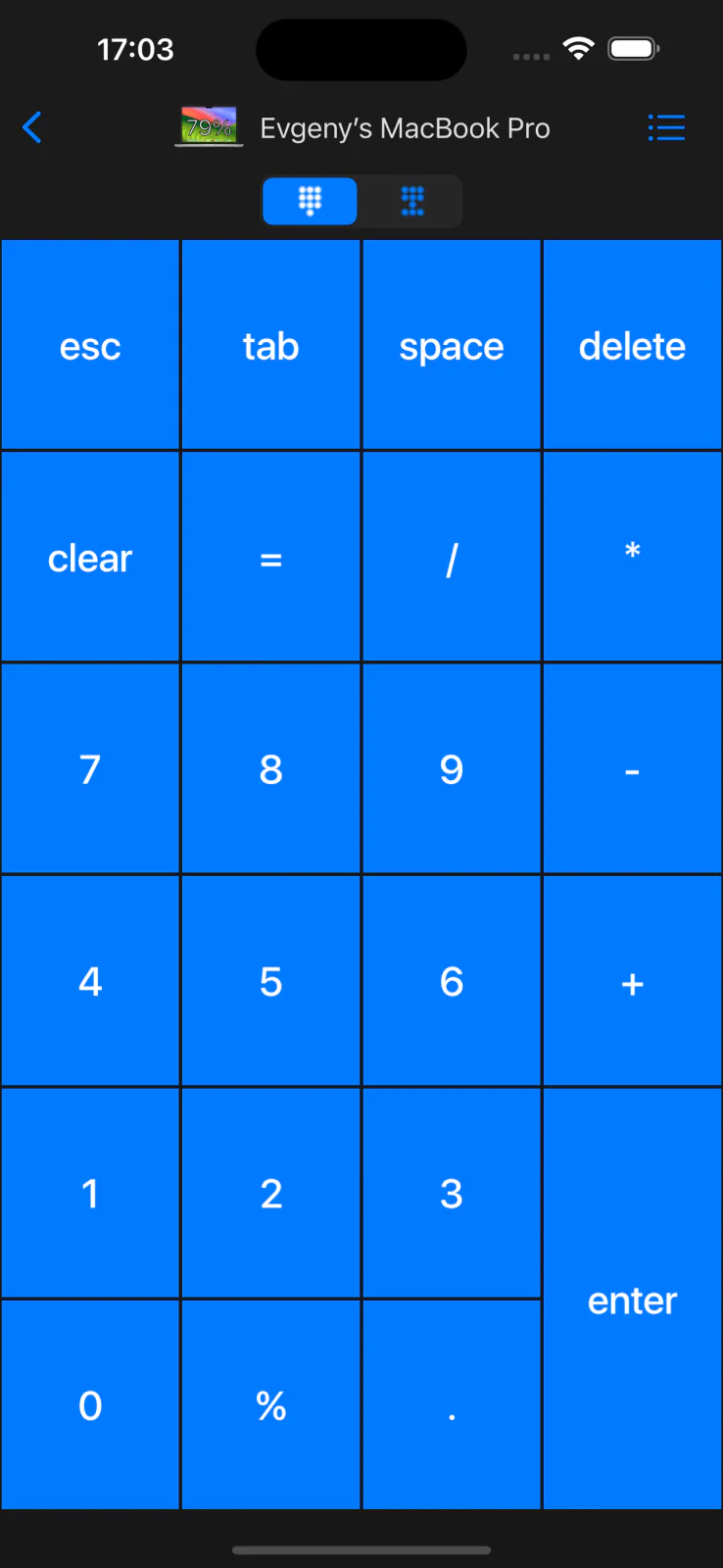
Add a dedicated number block to your compact keyboard for spreadsheets and everyday calculations.
Keep navigation keys within reach while editing documents, code, and spreadsheets.
Customize keypads for your favorite desktop apps and websites.
Remote KeyPad & NumPad adds a wireless number pad, navigation cluster, and customizable macros to any Mac or Windows keyboard. Perfect for Excel, Numbers, finance apps, DAWs, and pro workflows that need more keys without carrying extra hardware.
Create custom keypads for your professional tools to boost productivity. Move freely and control your computer from across the room. No line of sight is required - the app uses Wi-Fi to connect to your computer.
The app has existed since 2016, has been downloaded more than 300,000 times, and has received very positive reviews from users and the press. It’s actively maintained and receives frequent updates with new and exciting features.
The app uses standard security measures like HTTPS to communicate and only works on your local network. Whenever an unknown device tries to establish a connection with your computer, the app presents a dialog for you to choose to allow or deny it.
Follow the Remote KeyPad & NumPad setup guide for connection and input checks.
Checked September 30, 2026. Availability, pricing, and requirements can change; the App Store listing has the latest details.
| Detail | App Store listing |
|---|---|
| Name | Remote KeyPad and NumPad |
| Version checked | 2026.34 |
| iOS / iPadOS requirement | 17.0 or later |
| Download price | Free download; see the listing for in-app purchases |
| Source | View Remote KeyPad and NumPad on the App Store |
Choose your edition
Remote KeyPad and NumPad Pro has its own App Store listing. Check the listing for current pricing and purchase options, or restore purchases in the edition you originally bought.
Help from the maker
Start with the guide, or get in touch with the developer.