
Plan your next charge.
Battery notifications help you choose a convenient time to recharge your watch.
 Skip to content
Keep an eye on your Apple Watch battery and get a notification when it is time to recharge.
iPhone & Apple Watch
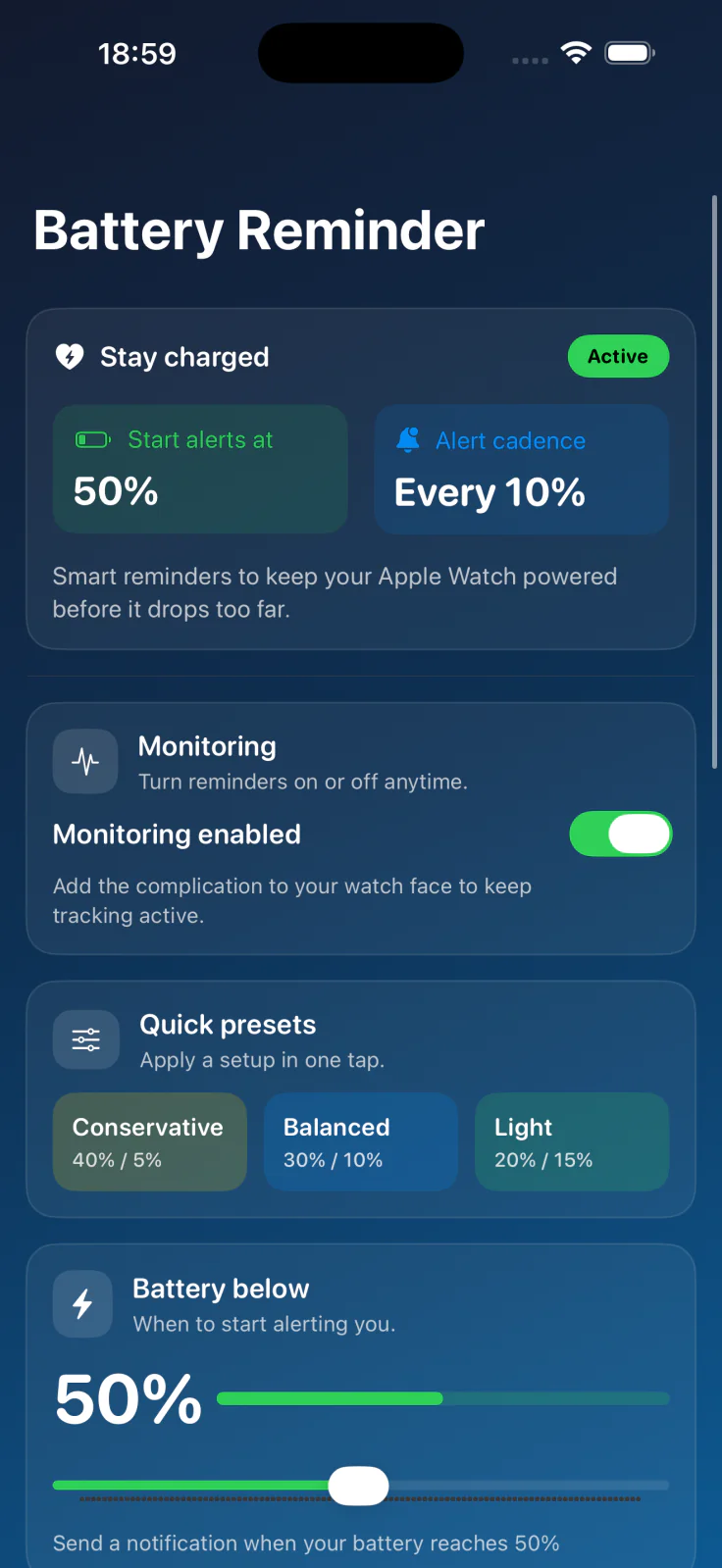
Battery notifications help you choose a convenient time to recharge your watch.
Add one of the app's complications to your watch face to enable battery monitoring.
Open the app to check monitoring, and allow notifications on your Apple Watch.
Watch Battery Monitor keeps your Apple Watch charged with smarter alerts, complications that stay in sync, and flexible thresholds tailored to how you use your watch.
Need more guidance? See the Watch Battery Monitor tips page for presets and troubleshooting.
Checked September 30, 2026. Availability, pricing, and requirements can change; the App Store listing has the latest details.
| Detail | App Store listing |
|---|---|
| Name | Watch Battery Monitor |
| Version checked | 2025.2 |
| iOS / iPadOS requirement | 17.0 or later; Apple Watch required for battery monitoring |
| Download price | Free download; see the listing for in-app purchases |
| Source | View Watch Battery Monitor on the App Store |
Help from the maker
Start with the guide, or get in touch with the developer.